
GUIDE
Construction Material Tracking Software: What to Look For in 2026
Construction material tracking software records where material is and what happens to it, from the shop to the truck to the job and back. Review stock by location, job usage and returns, and recorded material costs against the estimate.
Here are the capabilities that matter when you are evaluating material tracking for a trade contracting operation, and the questions worth asking a vendor before you commit.
Published September 14, 2026. Last updated October 4, 2026.
Start 14-day trialNo credit card required
What to look for, and why it matters
Use this as an evaluation checklist rather than a feature scorecard. The right question is always whether the software matches the way material actually moves through your operation.
| InventoryHQ | Why it matters | |
|---|---|---|
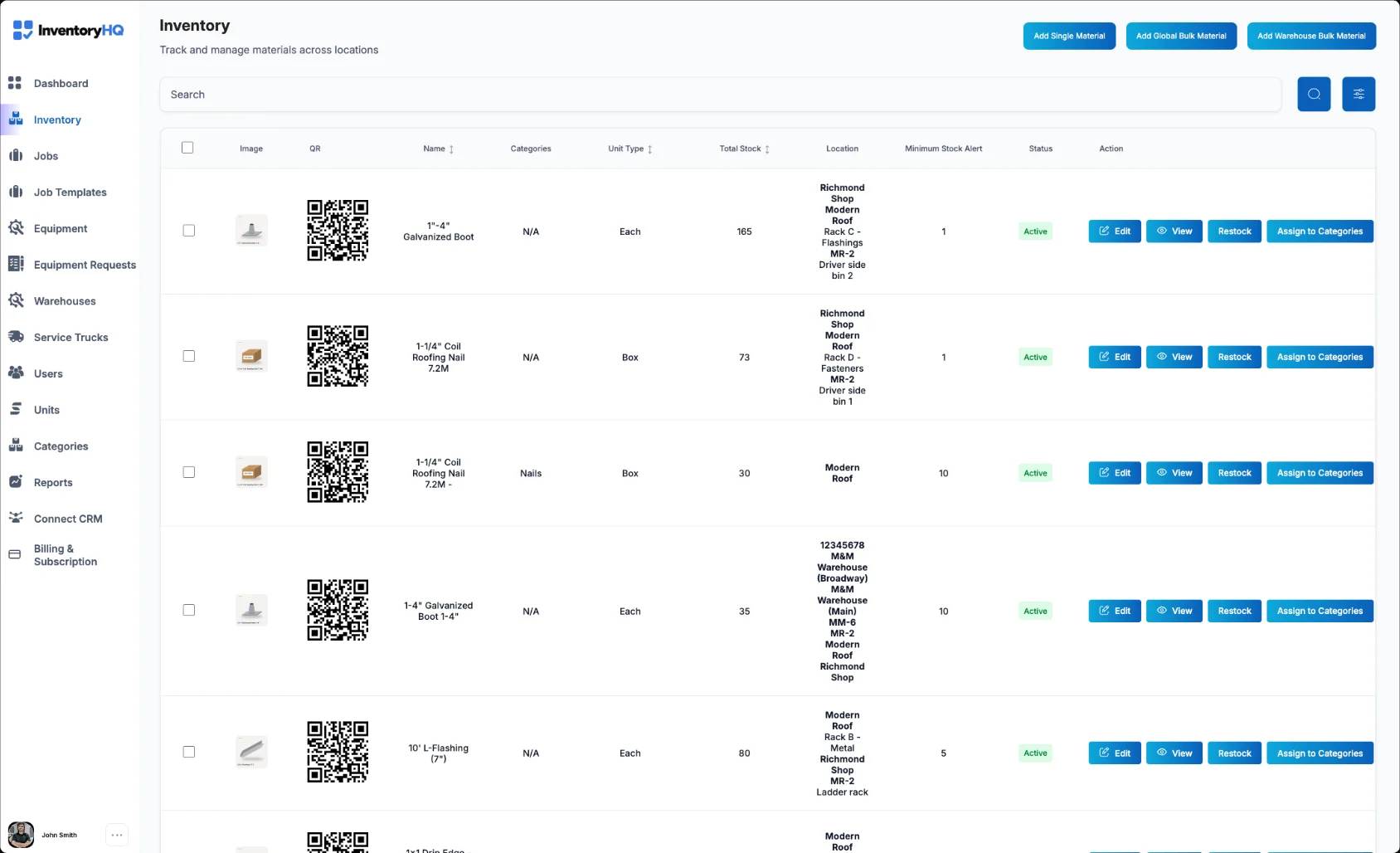
| Stock by location | Counts held separately for the warehouse, each service truck, and each active job site. | A single company-wide total tells you nothing about whether the material is where the work is. |
| Receipts and transfers | Deliveries recorded on arrival and transfers recorded between two named locations. | Without a transfer record, material leaving the shop simply disappears from the books. |
| Job usage | Material consumed against a specific job, recorded by the person doing the work. | Delayed entry can leave recorded quantities behind job activity. |
| Returns to stock | Unused material returned to the shop or left on the truck, recorded as its own step. | Unrecorded returns can lead to purchasing material already in stock. |
| Estimated vs actual cost | Recorded material cost shown against the estimate on the job record. | If the system cannot report cost per job, tracking becomes housekeeping with no payoff. |
| Field usability | A phone workflow for scanning and recording material activity. | Test the workflow with the people who receive, use, and return materials. |
| CRM integration | Verify supported CRM connections and their documented job and material-cost data flows. | Check what data must be entered separately and what the configured connection transfers. |
Ask any vendor to walk through a return and a truck-to-job transfer in a live demo, not a slide.
Three questions to ask before you buy
Can a truck hold stock?
If the system only understands warehouses, your rolling inventory stays invisible and reconciliation may require additional records.
What does a job cost report show?
Ask to see actual material cost against the estimate for a completed job. That report is what justifies the process to the field.
What does the field have to do?
Count the taps required to issue material to a job. Test the steps during normal work, including quantities, returns, and office review.
Common questions
- What is construction material tracking software?
- Software that records where material is and what happens to it: received at the shop, loaded on a truck, used on a job, or returned to stock. The point of the record is being able to report what a job's material actually cost.
- How is it different from asset or tool tracking?
- Tool tracking follows items that come back, such as ladders, nail guns, and generators. Material tracking follows items that get consumed on a job and never return. Most contractors who warehouse material need both.
- Does it replace accounting software?
- No. Accounting records the dollars. Material tracking records physical quantities and costs by job. Use exports or a verified integration to support your accounting workflow.
Comparing specific tools? See how InventoryHQ compares to spreadsheets, Sortly, Ply, tool tracking apps, and QuickBooks.
See it against your own material.
Start with one location, record a week of receipts, transfers, usage, and returns, then look at what a job actually cost.
Start 14-day trialNo credit card required